
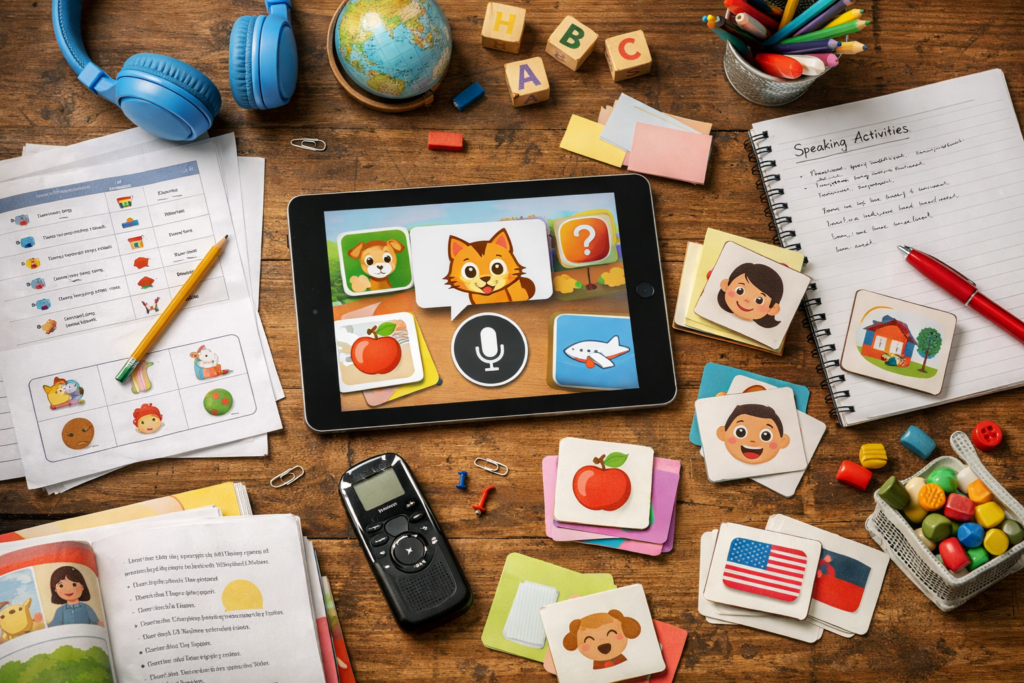
Why Best Kids Language Apps Are Moving from Tapping to Speaking
Key Takeaways
- Prioritize best kids language apps that move past tapping and push kids to speak, because recognition alone doesn’t build real communication confidence.
- Check age fit before anything else. The strongest kids language apps for pre-readers use audio, visuals, and short game loops that don’t need adult help.
- Compare safety features closely. Ad-free design, kid-safe labeling, and privacy handling matter just as much as vocabulary lists for home or classroom use.
- Look for progress reporting, learner profiles, and printable support if the app will be used with small groups or mixed-age students.
- Test speaking features on both Android and Apple devices before committing, since not every language app handles voice practice, subscriptions, and device syncing the same way.
- Build a short routine. The best language apps for kids work better in 10-minute daily bursts than in long, one-off lessons.
Seven out of 10 early years teachers can spot it right away: a child taps happily for two minutes, then can’t say a single word back. That’s why the search for the best kids language apps has changed so sharply. The old tap-and-match routine isn’t enough anymore. Parents and school coordinators want proof that kids can actually say the words, not just collect badges like mini trophies.
And the pressure’s real. Small groups are mixed-age. Some children can read a little. Others can’t read at all. A few will repeat anything out loud; the rest need a gentler push. In that setup, an app that only rewards recognition starts to feel useless fast (especially once the novelty wears off). Speaking changes the whole script. It asks children to recall, not just react. That’s a harder job, but it’s the one that sticks.
Realistically, the strongest kids apps now have to do more than keep a child busy on an Amazon Fire or an iPad. They need support for routine, privacy, — real communication practice. They need to work for a classroom team as easily as they do at home. And they need to make speaking feel normal, not scary. That shift is already here. The question is which apps are built for it—and which ones are still stuck in 2021.
What parents and teachers should look for in the best kids language apps right now
A teacher pulls up a tablet during small-group time. Three children tap happily, but only one says a single word aloud; the others are guessing, not learning. That gap is why the best kids language apps are shifting toward speech, not just tapping.
Why tapping alone leaves kids with passive vocabulary
Tap-heavy apps can build recognition fast, but they don’t always build communication. A child may know the picture of an apple in the store and still not say it in a real script, during revision, or in a classroom routine. For support that sticks, the app should ask kids to repeat, hear feedback, and use words in a mini task that feels like play.
The age-fit question: app design for pre-readers and early readers
best language apps for 3 year olds should work without reading and with clear audio. best language apps for 4 year olds need big buttons, short rounds, and a simple team-like flow that keeps attention. best language apps for 5 year olds can add stronger word families, while best language apps for 6 year olds should start building sentence-level communication without making the app feel useless after one week.
Safety, privacy, and ad-free support for classroom and home use
Adults should check for ad-free design, encrypted support where relevant, and privacy that doesn’t ask for extra message permissions. For classroom use, a clean app store listing, clear Android and Apple support, and no distracting filters matter more than slick marketing. If the app can help kids learn while staying calm, safe, and readable for adults, that’s the real win.
Why speaking practice is becoming the real test for kids language apps
71% is a number that keeps showing up in early-learning app reviews: kids can tap the right picture, then freeze the second they have to say the word aloud. That gap is why the best kids language apps are shifting from recognition to recall, and it’s a real change for teachers who need something that works in small groups, not just on a screen. Tapping is easy. Speaking is the test.
The shift from recognition to recall in early language learning
For a best language apps for 3 year olds, that means fewer long scripts and more short, repeated prompts with a clear voice model. The child hears a word, picks it out, then says it back. That repeat loop matters because it turns passive review into real communication, not useless guesswork.
How voice feedback helps students build communication confidence
Voice feedback changes the pace. Instead of waiting for adult support, kids get instant reaction on sound, which helps with pronunciation and makes the lesson feel like a mini team challenge. For a best language apps for 4 year olds, best language apps for 5 year olds, and best language apps for 6 year olds, that’s the difference between repeating a word once and building real confidence over a week of revision. Speaking sticks when the feedback is immediate. Not later.
Why routines beat long lessons for young learners
Short routines win. A 5-minute morning check-in, a 5-minute store-and-recall game, then a quick song after school will usually beat one long session that drifts off by minute 12. That kind of rhythm fits Android — Apple households, supports student tracking, and keeps the app from feeling like a startup experiment that got carried away.
Not complicated — just easy to overlook.
Best kids language apps for small groups: what works in classrooms and mixed-age settings
Write this section as if explaining to a smart friend over coffee — casual but accurate and specific. In mixed-age rooms, the best kids language apps do one thing well: they keep the 3-year-old, the 5-year-old, and the older helper all moving without chaos. That means short rounds, clear audio, and a routine that doesn’t eat the whole morning.
Progress tracking for teachers and school coordinators
Progress reports matter. If a tool only shows badges, it’s useless for planning revision. Look for weekly summaries, lesson completion, and a simple script for who needs another turn with pronunciation or vocabulary. For a quick benchmark, the best language apps for 3 year olds and the best language apps for 6 year olds shouldn’t feel like different products — just different entry points.
The best language apps for 4 year olds need enough support to keep attention, — not so much noise that the room turns into a mini startup demo. One useful example is a 10-minute rotation: five minutes of app play, three minutes of team review, two minutes of speaking back to the group.
Multiple learner profiles, team use, and shared devices
Shared iPads, Android tablets, and even an Amazon Fire stack up fast. A strong classroom app lets a team of students log separate profiles so their communication practice doesn’t collide. The best language apps for 5 year olds and the best language apps for 4 year olds often sit in the same list, but profiles keep the work tidy.
And that’s exactly why the best kids language apps for a school store setup need repeatable sign-in, not a one-off login mess.
And that’s where most mistakes happen.
Printable support, revision, and offline follow-up work
Printable worksheets help when the screen goes dark. Pair one app session with one paper task, and the learning sticks better (especially for kids who need a filter between play and handwriting). Best language apps for 4 year olds should support that handoff. Best kids language apps do. best language apps for 4 year olds
- Use 1 printable per topic.
- Keep revision to 5 minutes.
- Save speaking for the last minute.
Android, Apple, Amazon Fire, and school device support in kids language apps
Can one app actually work across the house, the classroom, and that spare tablet with a cracked case? Yes — and for the best kids language apps, that cross-device support is what keeps the routine from falling apart. A child can start on an Apple device, continue on android, and pick up later on an Amazon Fire without losing the lesson path. That matters for school device support too, where a team of students needs the same script, the same content filter, and the same short revision flow.
Why cross-device access matters for busy families and student teams
For families with two or three kids, shared access stops the whole thing from turning into a mini startup problem. One child’s progress shouldn’t get wiped just because another child opens the app. The best kids language apps usually support separate profiles, and that’s where the communication between home and school gets easier.
Studycat, for example, is used as one reference point for schools and home learning support. That kind of setup helps children learn things in small bursts, not in one long, useless block.
App store access, subscriptions, and trial models that reduce risk
Apple App Store and Google Play both matter here, — so does the store policy around trials. A 7-day free trial with no credit card lowers the risk for parents who’ve been burned before. It also gives teachers a chance to test whether the app fits the class routine before anyone commits.
Think about what that means for your situation.
Subscriptions should be easy to cancel and clear about what’s included. If an app hides the learning behind extra filters or messy add-ons, that’s a bad sign. The best kids language apps keep access simple.
What to check before download: age ratings, content filters, and device limits
Before download, check three things: age rating, device limits, and whether the app asks for voice or message permissions it doesn’t need. For example, best language apps for 3 year olds and best language apps for 4 year olds should need almost no reading. By the time children reach best language apps for 5 year olds and best language apps for 6 year olds, the app should still feel light, not like business software dressed up for kids.
- Age rating: match the app to the child, not the brand name.
- Device limits: confirm how many profiles or installs are allowed.
- Content filters: look for ad-free, encrypted, and child-safe settings.
That’s the difference between an app that gets used and one that sits on the store page.
Speaking-first app features that separate strong products from useless ones
Strong kids language apps don’t just ask children to tap pictures. They get them talking, even if it starts with one word, one sound, one tiny win.
- Short game loops keep attention moving. A 2-minute round, a quick revision burst, then a reset works better than a long script that asks a 4-year-old to sit still and guess.
- Routine building matters. The best kids language apps build a repeatable rhythm for the team at school or at home—learn, say it, hear it again, done.
- Mini speaking tasks beat passive review. Ask for a repeat, a choice, or a label, and children learn to connect communication with action.
That’s why the best language apps for 3 year olds usually keep the flow tiny and visual, while the best language apps for 4 year olds can handle a little more choice and repetition. The best language apps for 5 year olds often add memory checks and voice prompts. And the best language apps for 6 year olds can stretch into simple classroom support without turning into a productivity app nobody uses.
Pronunciation support, encrypted voice handling, and on-device processing
Here’s the thing: speaking practice only works if adults trust the setup. If voice data is encrypted and handled on-device, that’s a cleaner answer than uploading every mini attempt to a store server for later development or message review.
For example, a child can speak, get instant feedback, and move on without waiting for a teacher or parent to correct every word. That’s a real fix for apps that are strong on tapping but useless for pronunciation.
Examples of classroom-friendly features that could be improved
Some classroom tools still act like an 2017 startup script, not a real learning platform. They show badges, — don’t give a clear list of who spoke, who needs support, or what the next lesson should be.
Think about what that means for your situation.
Studycat uses that gap well as a sign of what teachers need: tighter speech practice, better filter controls, and simpler reports for students. Even an Amazon Fire mini group can handle a speaking task if the design is tight enough.
That’s the real split. Apps that just teach words. Apps that make kids say them.
best language apps for 6 year olds
The current verdict on best kids language apps: what to choose for real learning
Tap-first apps are losing ground. Schools want kids to learn and speak, not just swipe through a script of badges and mini wins. The best kids language apps now push communication, revision, and daily routine — and that shift matters for classrooms and bilingual homes.
For beginners, the best language apps for 3 year olds and best language apps for 4 year olds should keep reading out of the way and use audio, images, and short play loops. That’s the same logic behind the best language apps for 5 year olds and best language apps for 6 year olds: simple support, lots of repetition, and no useless clutter. A child should be able to open the app and get moving in 30 seconds.
Best fit for beginners, reluctant speakers, and bilingual homes
These children need confidence first. Look for speaking prompts, a clear filter for age-appropriate content, — app store reviews that mention real progress, not just entertainment. If the app keeps the child in an encrypted, ad-free space and supports android plus apple devices, that’s a practical plus for busy teams of siblings or students.
Best fit for revision, communication practice, and daily use
For revision, the strongest apps repeat vocabulary in new formats — songs, stories, short games, and voice work. Studycat’s VoicePlay™ is a useful example here, since it gives speech practice instead of tapping alone. That matters in a routine that’s built for 2021-style screen habits, but with a 2026 standard for speaking.
How to compare apps in a practical list before making a final choice
- Check age fit: can a 3 to 6-year-old use it without script-heavy help?
- Test speaking: does it support communication, or just tapping?
- Look at daily use: can it fit a 10-minute routine?
- Review support: are progress reports and teacher tools there?
That list cuts through startup hype fast.
If an app can’t hold a child’s attention for one short session, it won’t help much after week two.
Frequently Asked Questions
What makes the best kids language apps different from regular learning apps?
The best kids language apps don’t just hand out vocabulary lists and hope for the best. They use short audio cues, simple visual prompts, and repeatable games so young children can learn without reading instructions first. That matters a lot for ages 2 to 8, where attention spans are short and the learning has to feel like play.
How do parents know if a language app is actually teaching anything?
Look for progress reports, built-in review, and a clear path from listening to speaking to recall. If an app only rewards tapping, it can look busy and still be useless for real language growth. A good example is an app that tracks lessons completed and shows which words or sounds a child has already met.
Are language apps safe for kids to use on Apple and Android devices?
Safety depends on the app, not the store. Parents should check for ad-free design, age ratings, privacy policies, and whether the app collects voice data or personal details. For children, the best kids language apps are usually the ones that keep the experience contained and don’t push outside links or message features.
What age is best for starting with a kids language app?
Most early years teachers — parents see the best results when kids start around ages 3 to 8, with the app matched to the child’s attention level and language exposure. Younger learners need audio-led activities and very little reading. Older beginners can handle a bit more structure, but they still need quick wins.
The data backs this up, again and again.
Do kids language apps really help with speaking, or just vocabulary?
That depends on the app.
Many tools stop at recognition, which means the child can point to a word — can’t say it back. The stronger apps include pronunciation practice or speech feedback, so kids hear the word, repeat it, and get instant support instead of guessing.
How much screen time is reasonable for language learning apps?
Short sessions work better than long ones. Ten to 15 minutes a day is often enough for small groups or home routines, especially if the app uses songs, games, and revision well. A 30-minute block can be too much for some children and too little for others, so the routine matters more than the clock.
Which features should school coordinators look for in kids language apps?
Group settings need progress visibility, multiple learner profiles, and activities that children can use with little adult help. If a platform can’t show who has completed what, it’s hard to use it for small-group rotation or classroom review. Teachers usually prefer apps that work well for independent practice and don’t create extra admin.
Can language apps support bilingual or multilingual households?
Yes, if the app keeps the language exposure consistent and doesn’t overload the child with too many switches. Families often do best with one app per language, a simple routine, and a mix of listening and speaking. That setup is far more useful than chasing a flashy tool that promises everything and delivers very little.
What should parents avoid when choosing a kids language app?
Avoid apps that lean too hard on rewards and not enough on language use. If there’s no audio guidance, no review, and no way to check progress, the child may be having fun without learning much. The honest answer is that a pretty interface doesn’t teach a child to speak Spanish, French, German, Chinese, or English.
How can teachers use kids language apps without losing classroom control?
Use them in short, predictable bursts and keep the task simple: one topic, one goal, one check-in. Small groups do best with apps that support independent work, because the teacher can move between students instead of running the whole session from the front. That keeps the room calm and the learning visible.
The shift is pretty plain now: the best kids language apps aren’t winning because they keep children busy, they’re winning because they make children say the words out loud. That matters for early learners, and it matters even more for classrooms where a tapped answer can look like progress without proving much. Speaking, short bursts, repeatable routines. That’s the real work.
For parents and coordinators, the practical checklist is simple. Look for apps that don’t need reading to get started, keep the room free of ads, and give adults a way to track what’s actually sticking. If the tool also supports mixed-age use, works across devices, and offers printable follow-up, it’s doing more than filling screen time. It’s building habits.
The next step is straightforward: pick one app, run a 7-day trial with a small group, and watch what happens when children have to listen, recall, and speak instead of just tap. If the words come back the next day, that app earns its place.
For more great reading, visit our site and explore related topics.